
Every printed campaign has the same weak point. The poster, the flyer or the product label is fixed the moment it leaves the printer, but the campaign behind it keeps moving. The offer ends, the landing page gets a new address, the PDF menu changes for the season. If the QR code on that print points straight at the old page, the only fix is a reprint.
Marketers have a simple way around this: print a code you can still edit. Here is how that works, and a workflow for planning a print campaign around it.
1. Start with a dynamic code, not a static one
There are two kinds of QR code, and they look identical on paper.
A static code stores its destination inside the pattern. It works forever and needs no account, but it can never be changed and it tells you nothing about who scanned it.
A dynamic code stores a short redirect link instead. The pattern on the print stays the same while you change where the link leads from a dashboard. Because every scan passes through that link, each scan can also be counted.
For anything you print in volume, or anything tied to an offer with an end date, start with a dynamic QR code generator rather than a free static one. The examples below use QRCodeStack, but the steps are the same for most dynamic QR tools.
2. Pick the right code type for the job
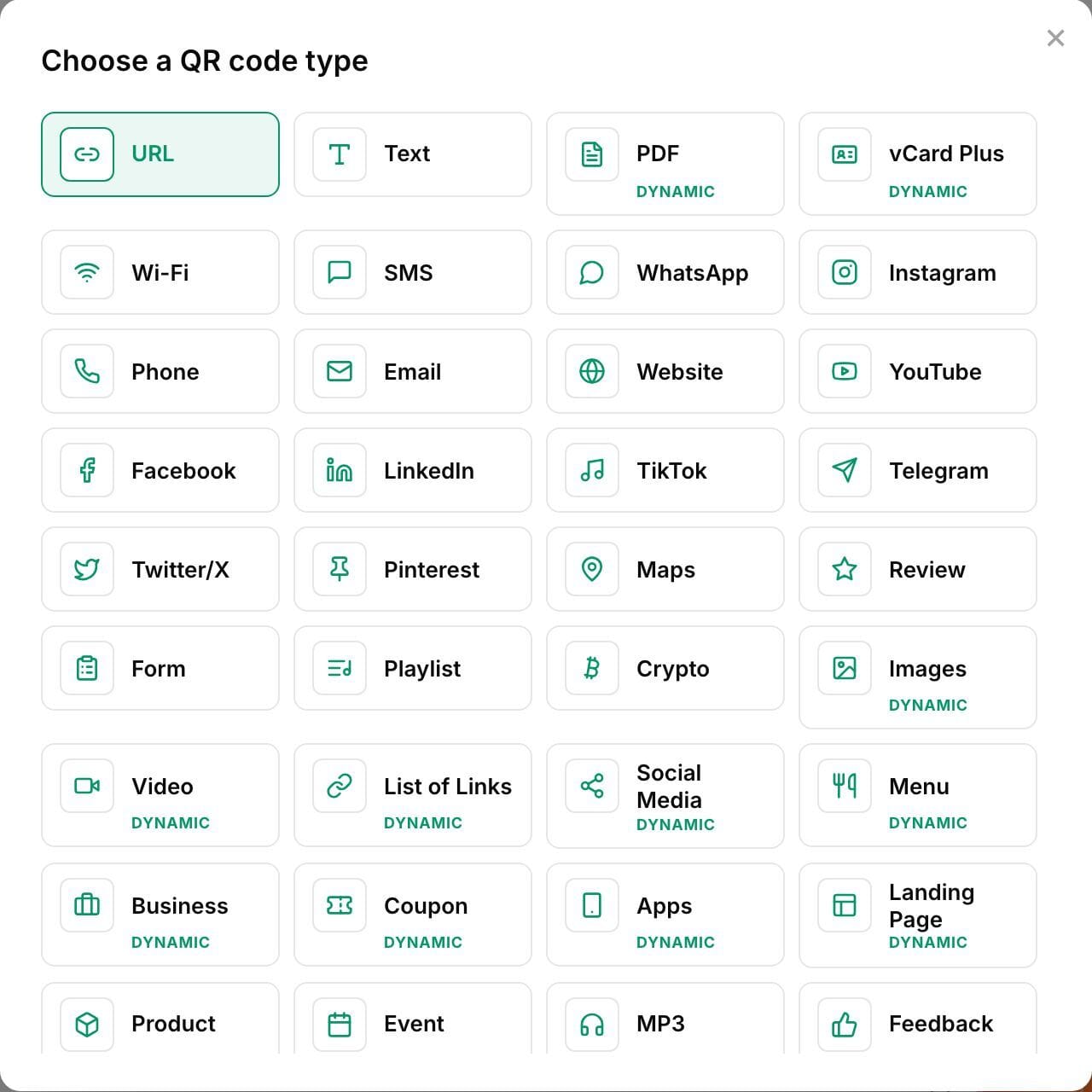
Most campaign codes only need to open a link, but the type still matters:
- Website or URL for landing pages and offers.
- PDF or file for menus, brochures, spec sheets and instructions. The file behind the code can be replaced later without changing the code.
- Contact card for business cards and stands, so the scanner can save your details in one tap.
- Review link for receipts and table cards that ask for feedback.
Choosing the type now means the scanner gets a page built for that job, not just a raw link.
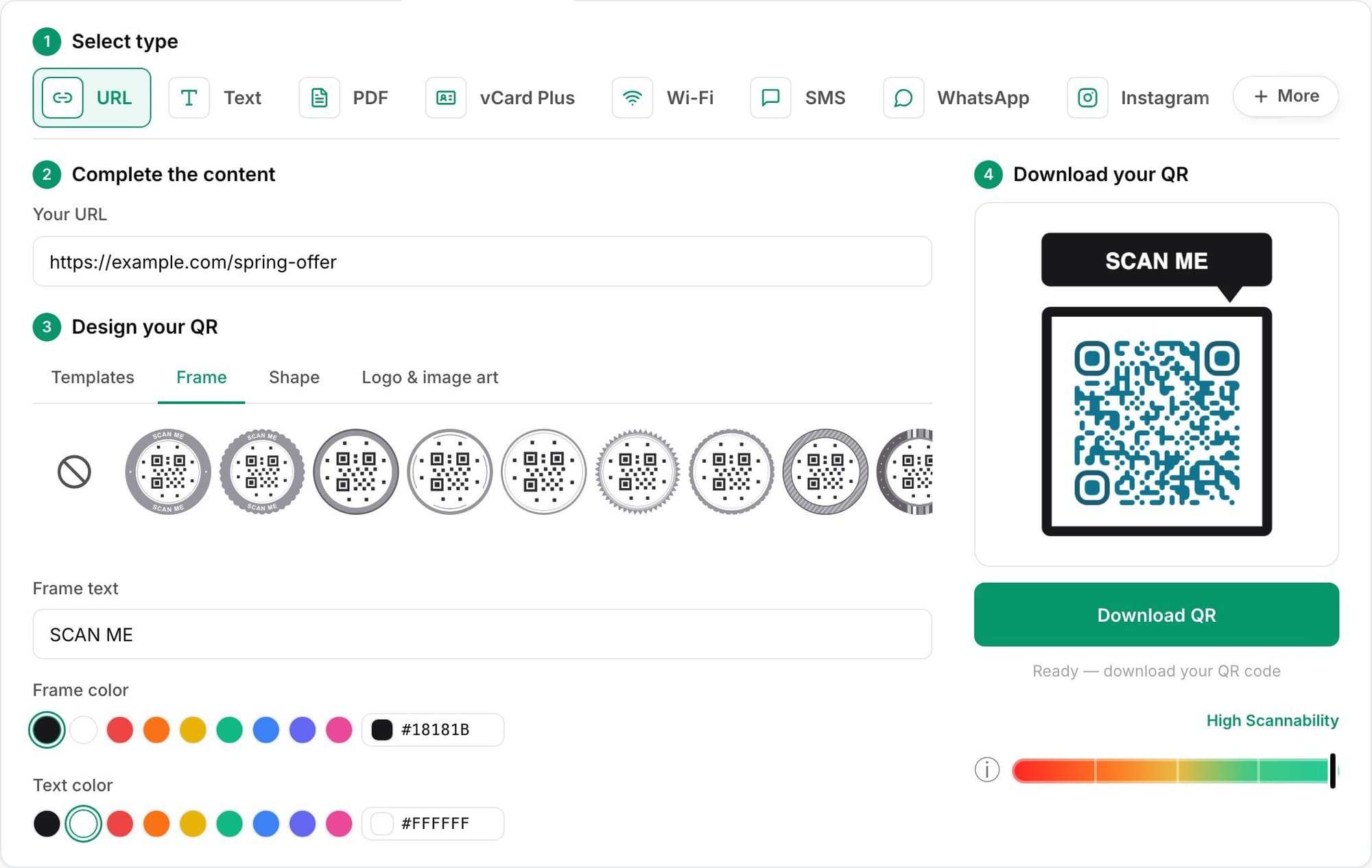
3. Design it so it still scans
Brand colours and a logo make a code look like part of the design rather than an afterthought. A few rules keep it scannable:
- Keep strong contrast: dark code on a light background.
- Leave a clear margin (the “quiet zone”) around the code.
- Keep the logo small and centred.
- Print at least 2 cm wide for close reading, and larger for posters seen from a distance.
- Test the printed proof on more than one phone, in the light it will actually hang in.
Adding a frame with a short call to action, such as “Scan for the menu” or “Scan to get 10% off”, tells people what they get before they scan.
4. Use one code per placement
This is the step most campaigns skip, and it’s the one that makes the data useful. Instead of one code on everything, create a separate code for each placement: the shop-window poster, the receipt, the packaging insert, the trade-show banner. They can all point to the same landing page.
When scans come in, you can then compare placements directly and see which print is earning its keep. Add UTM tags to each destination too, so visits show up as separate campaigns in your web analytics.
5. Change the destination when the campaign changes
When the offer ends, open the code in the dashboard, enter the new destination and save. The printed code now opens the new page, with nothing reprinted and nothing recalled.
Common reasons to do this:
- A seasonal offer ends and the code should open the next one.
- A website migration changes page addresses.
- A PDF menu or price list is updated.
- A product is discontinued and the packaging code should open its replacement.
Some tools also let you route scanners by device or country, set an expiry date, or add a password, which is useful for event materials and time-limited offers.
6. Read the scans honestly
Scan data shows when, where and on which devices people scanned, and whether they were first-time or repeat scanners. Treat it carefully:
- A scan is a visit, not a sale. Measure what people do after they land, using your web analytics and UTM tags.
- Compare placements, not absolute totals. The value is in seeing that the receipt beats the poster, not in any single number.
- Expect some automated traffic. Link previews and security scanners can register as scans. A good tool filters them out, but check before you report numbers upward.
A checklist before you print
- Dynamic code, not static, for anything you can’t afford to reprint.
- The right code type for what the scanner should see.
- Contrast, quiet zone and size tested on a real proof.
- A clear call to action next to the code.
- One code per placement, with UTM tags on each destination.
- Someone on the team who owns updating the destination when the campaign changes.
- A note of which codes are printed where, so nobody deletes a code that’s still on a shelf.
A printed QR code is a promise that the link will keep working, sometimes for years. Using an editable code turns a moved page or a finished offer into a two-minute dashboard change instead of a reprint, and it shows you which piece of print actually got scanned.
Diljit P R is a co-founder of QRCodeStack, a dynamic QR code and short-link platform.